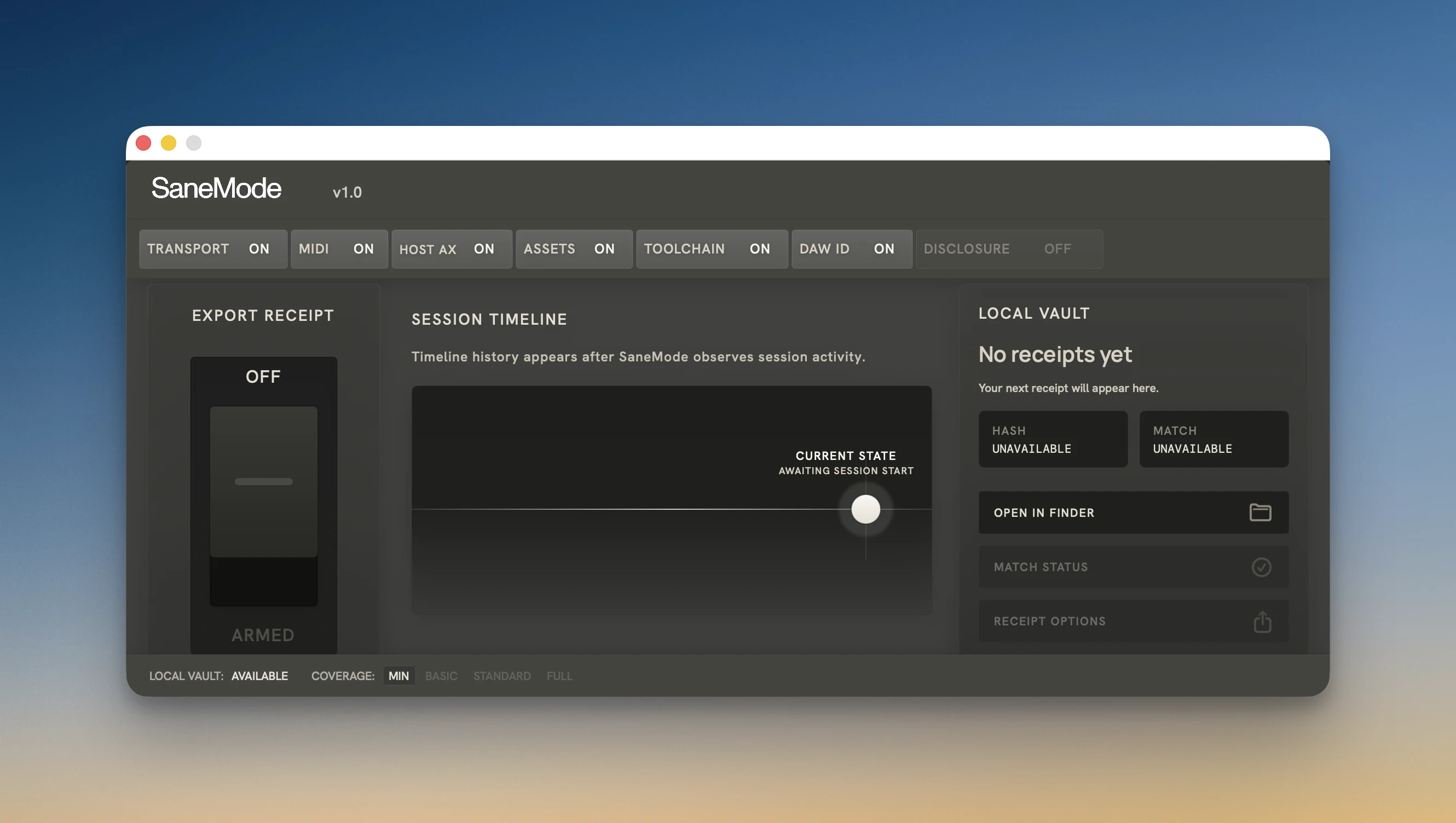
AI music makes it hard to know what's real. SaneMode keeps your music's origin clear.
AI Music makes audio origin blurry.
SaneMode is a macOS audio unit that lets your music travel with proof of the session it came from.
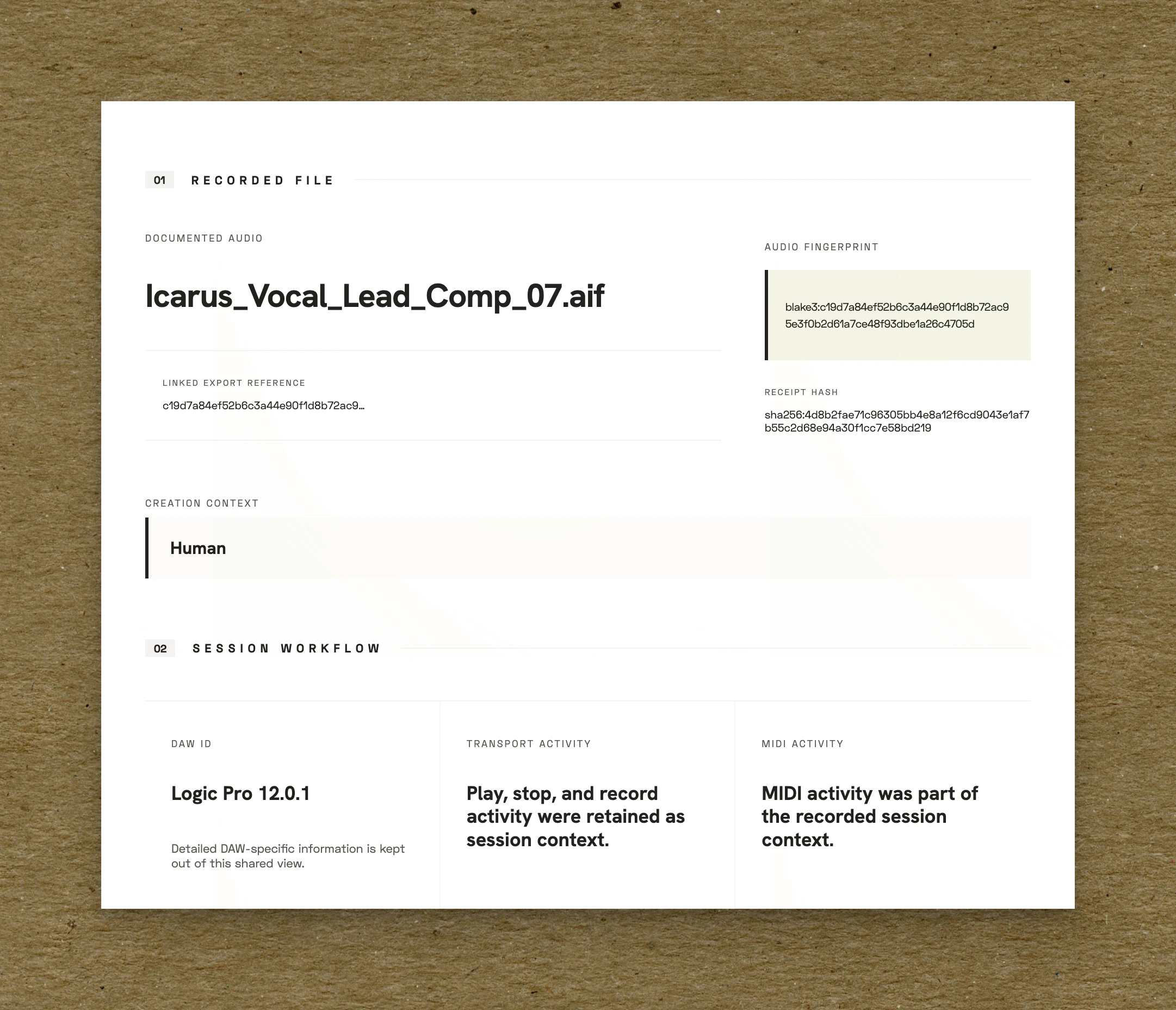
SaneMode is a macOS Audio Unit that creates a receipt at export, so bounced audio travels with a link to the specific session behind it.
AI can flatten how music gets heard.
Now your work stays clear in any context with a fast, readable receipt created
from your DAW session at export
AI can flatten how audio gets heard. Now your exports can leave the room with a fast readable receipt linked to the session behind the file
AI can flatten how audio gets heard. Now your exports can leave the room with a fast, readable receipt linked to the session behind the file
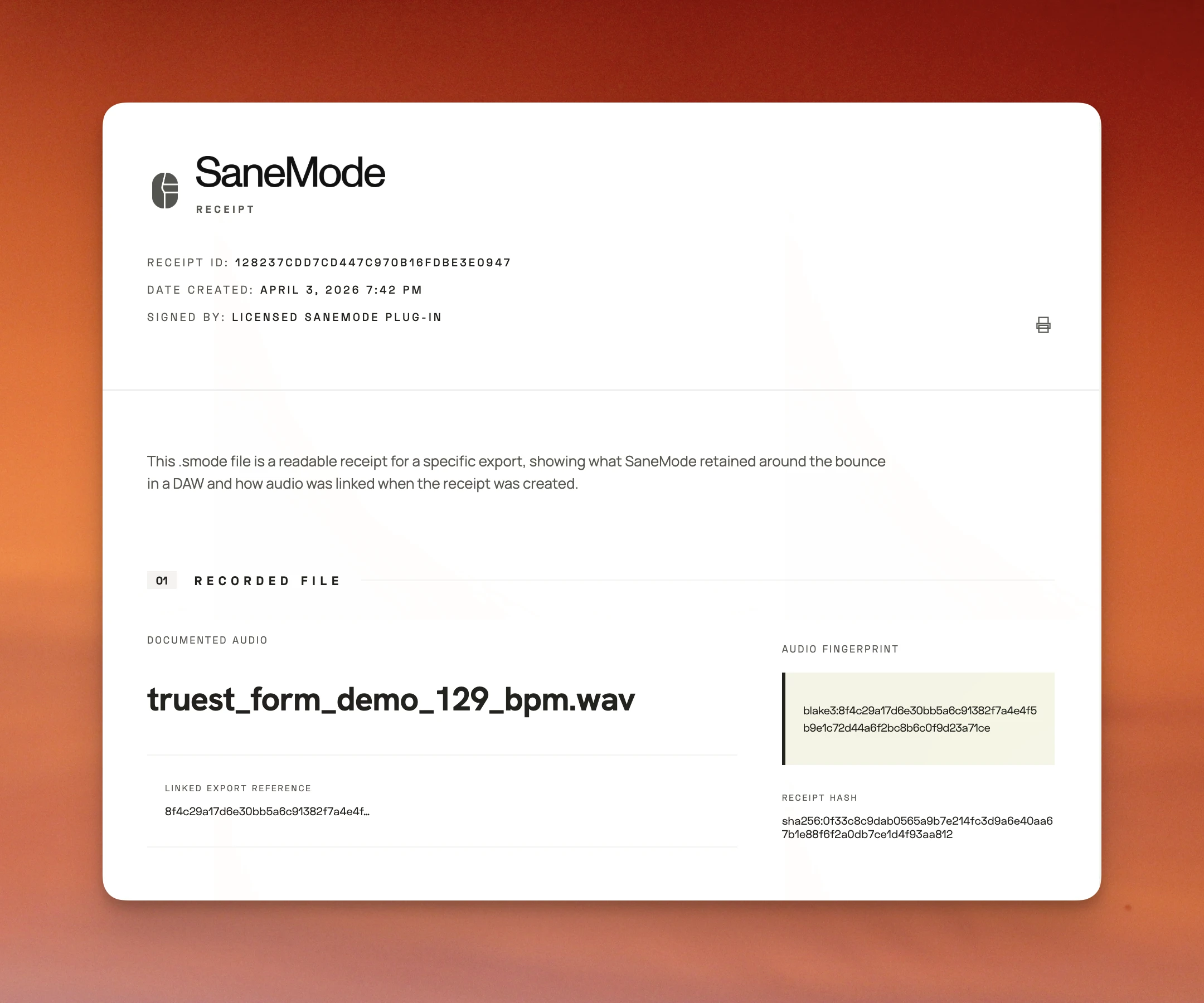
Receipts carry the session timeline
Create a receipt during export so days, weeks, or months of session work stay available as a practical reference to keep or send.
Receipts carry the session timeline
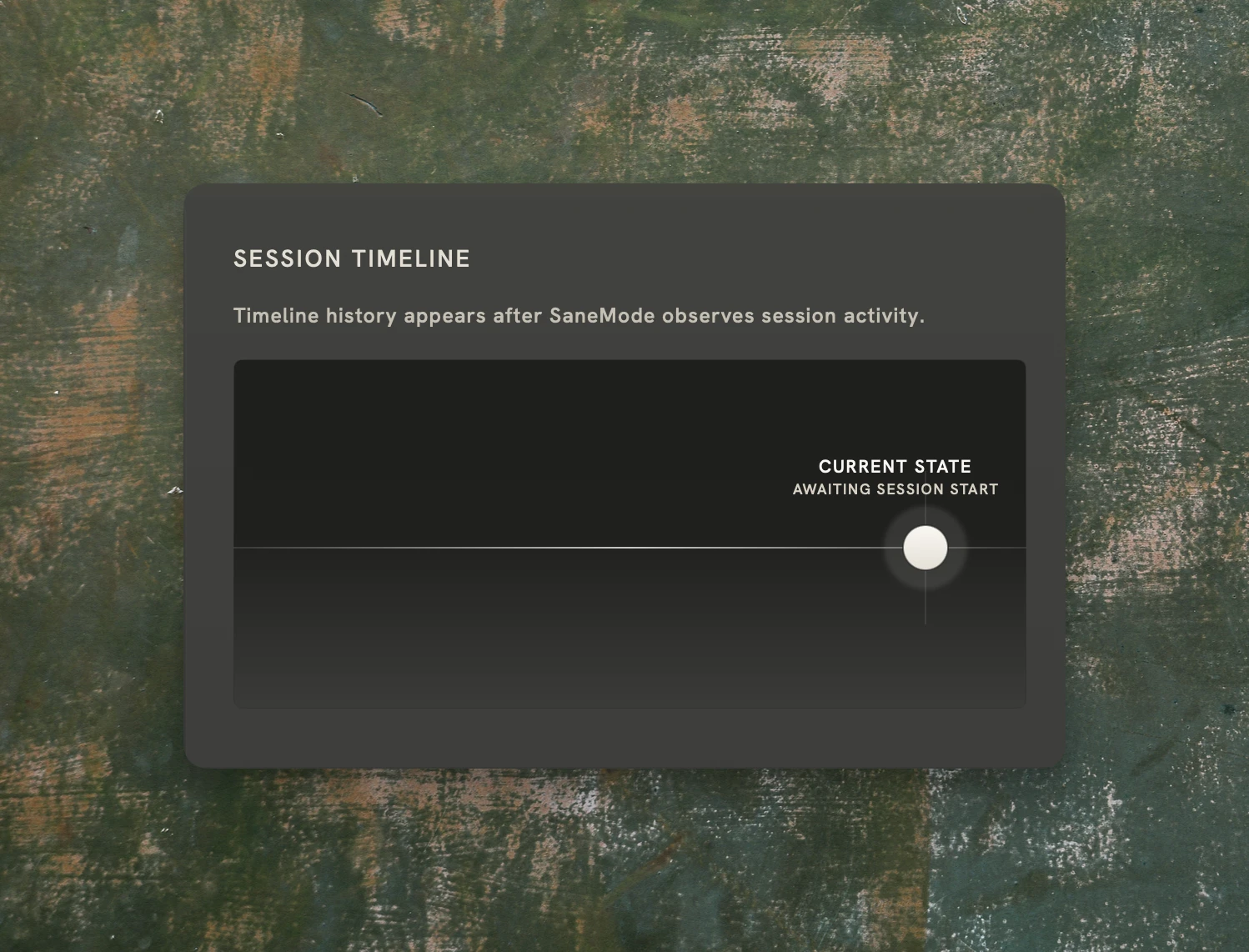
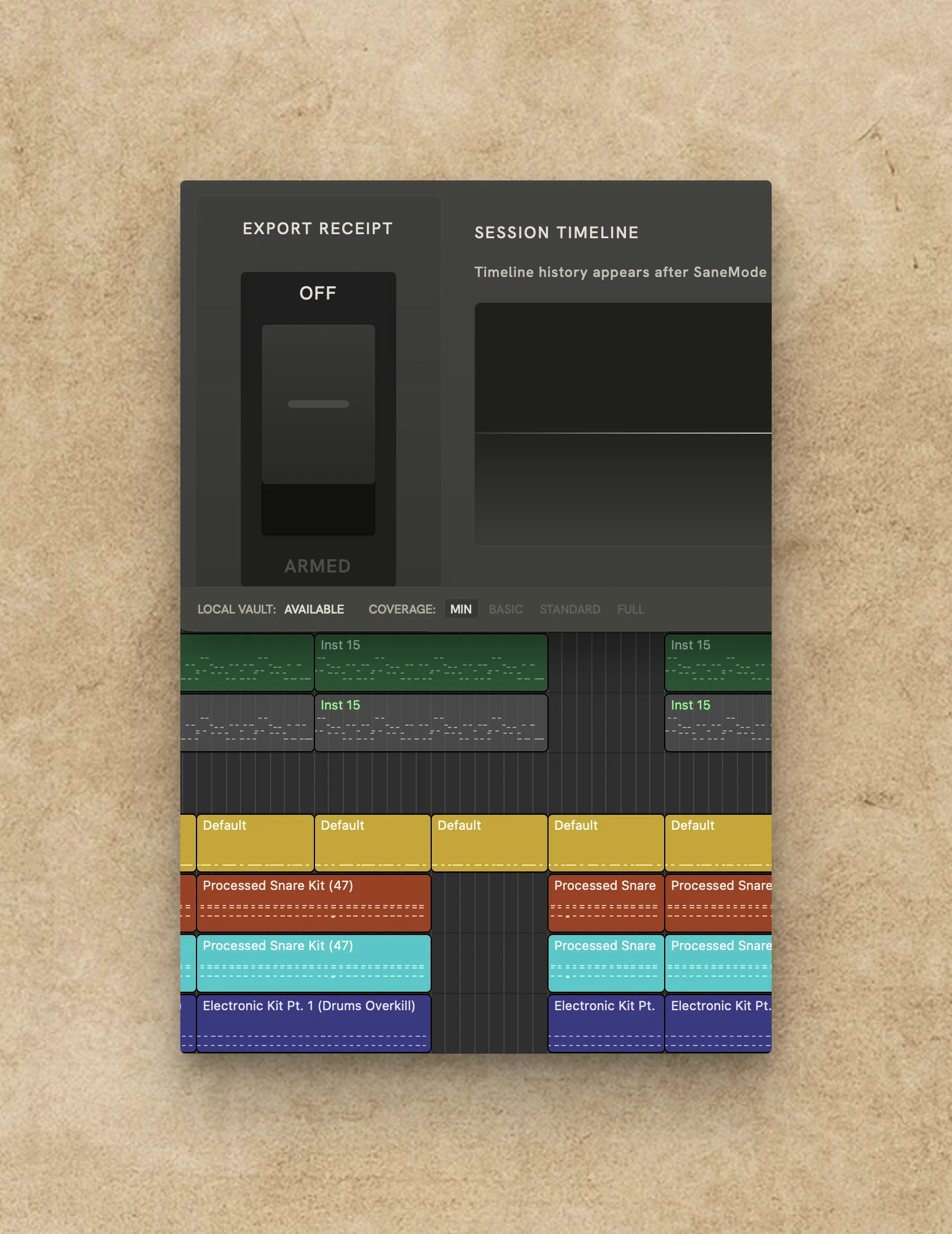
Create a receipt during export that keeps a timeline of your session attached to the exact audio you sent, so real work over days, weeks, or months stays visible.
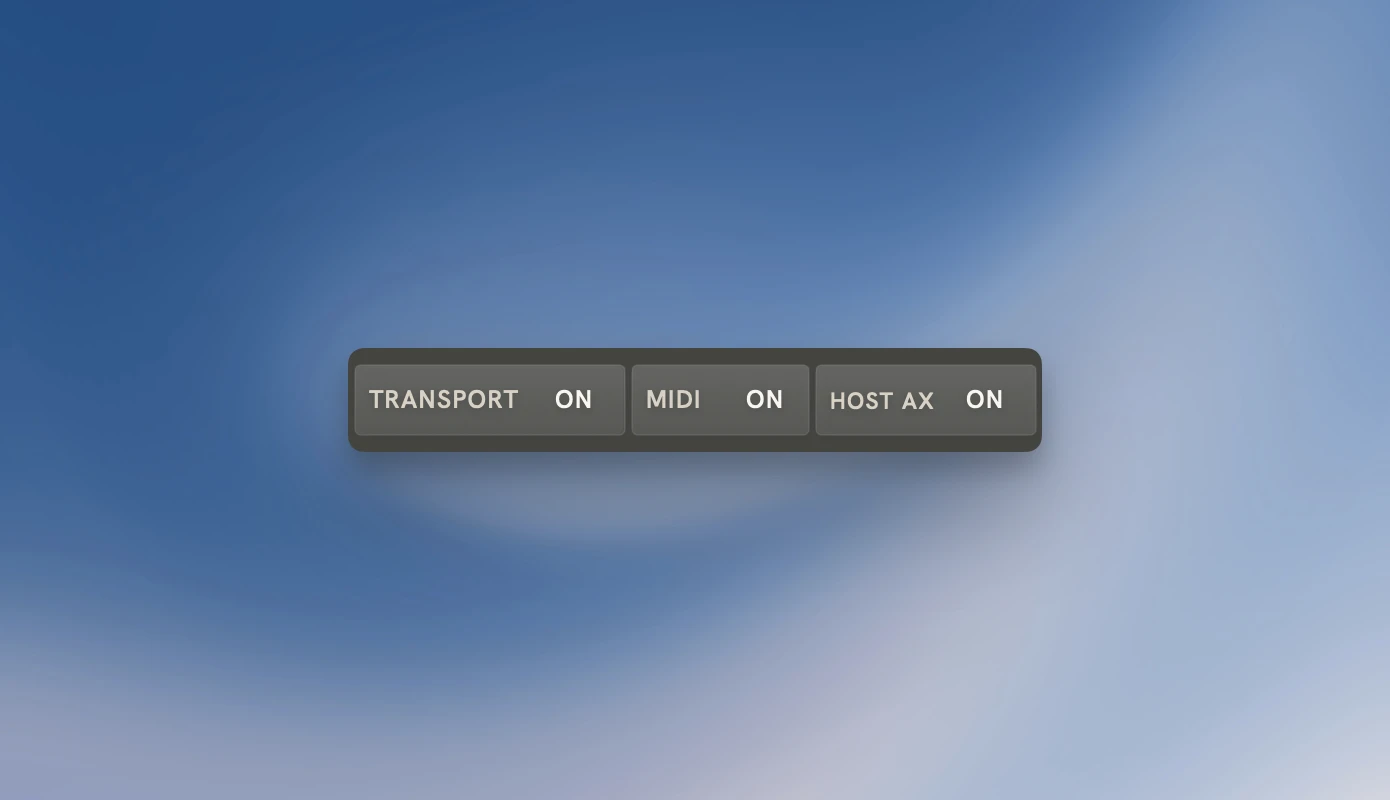
Audio directly linked to your DAW
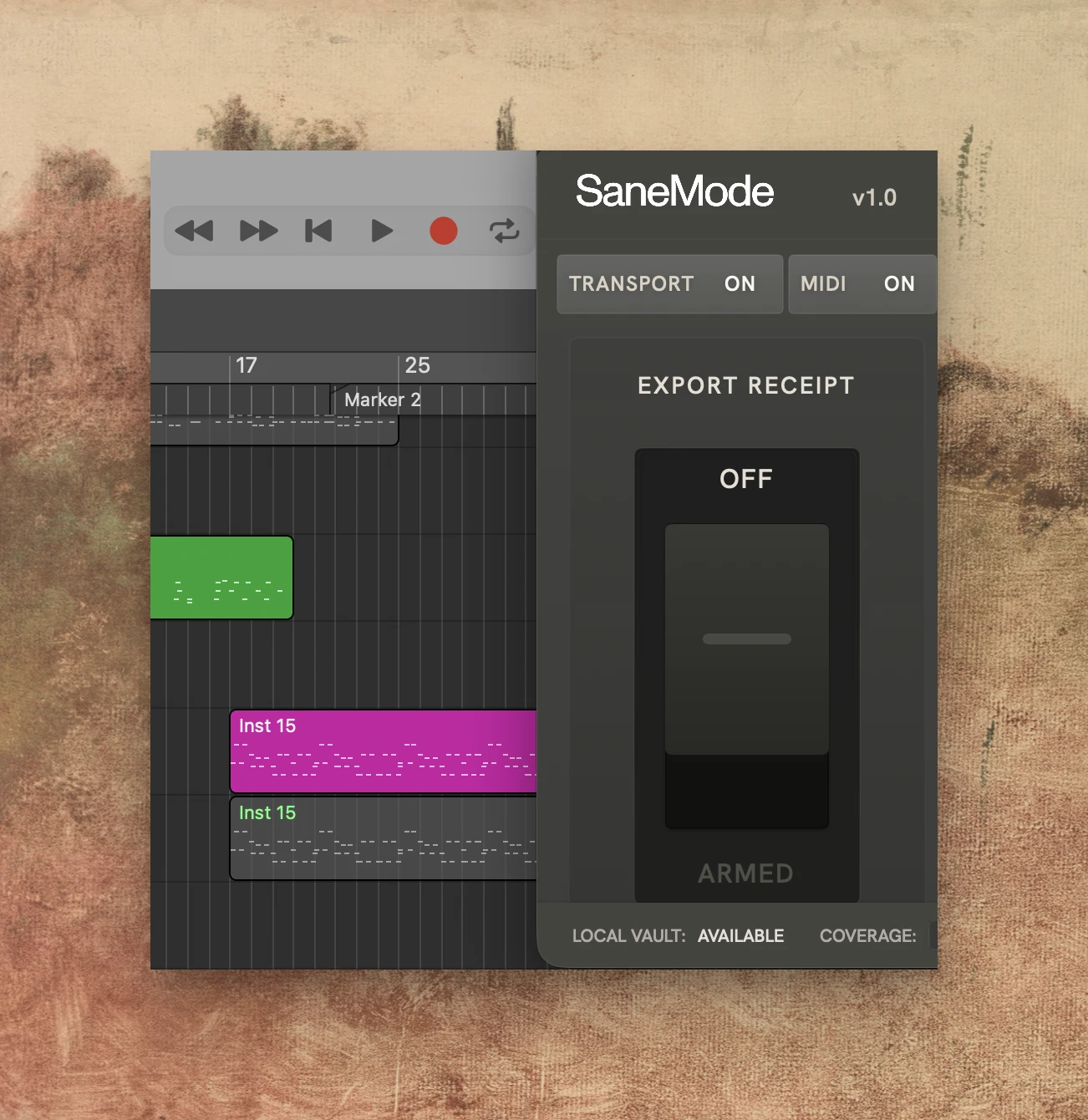
Use SaneMode’s MIDI and DAW ID signals so each audio file leaves with a clearer connection to your DAW session.
Audio directly linked to your DAW
Use SaneMode’s MIDI and DAW ID signals so each audio file leaves with a stronger link to the real DAW session behind it.
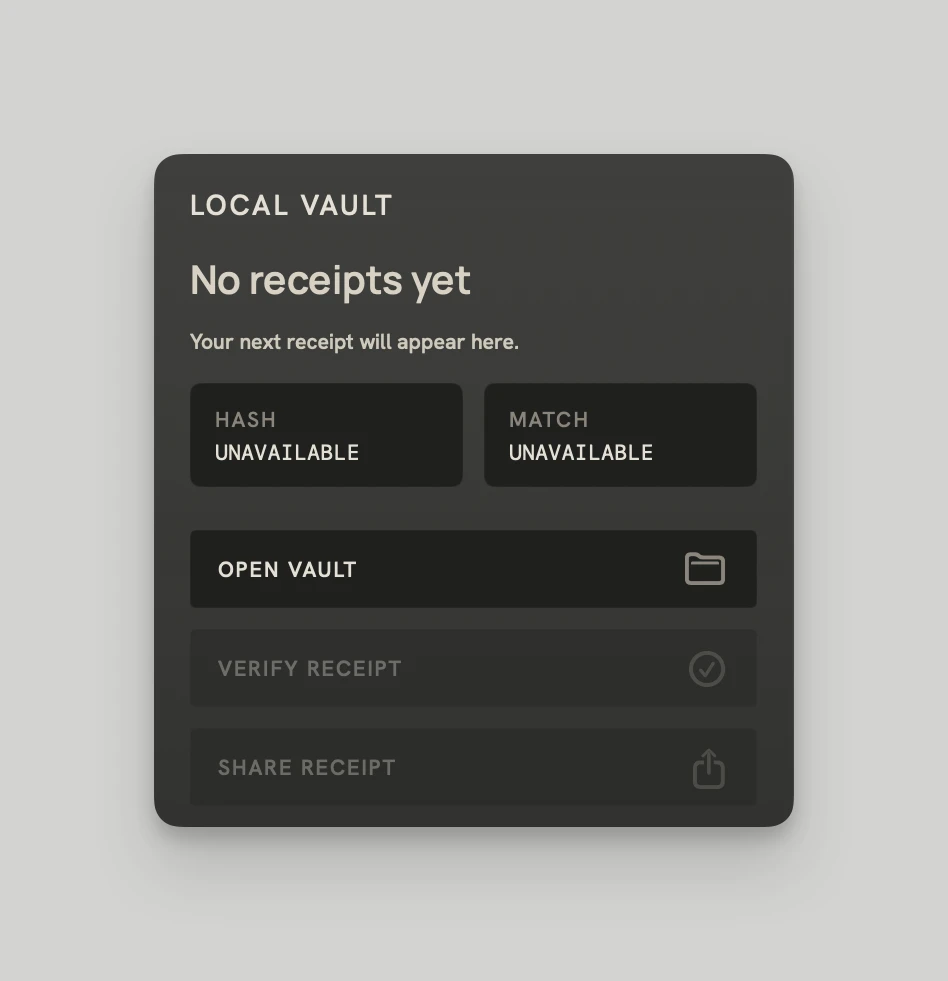
Built for audio that travels
Send bounced audio with a receipt so the music carries the context you want wherever it goes.
Built for audio that travels
Send bounced audio with a receipt so the audio's origin stays clear anywhere it travels.
Built to stay out of the way. Ready at export
Built to stay out of the way. Ready at export
Local-first, on your terms, made for a stronger handoff.
File origin gets harder to read once audio leaves the DAW and hits the web. SaneMode helps your exports travel with the exact context you chose to show for a stronger, cleaner handoff. Everything stays local on your machine, under your control, and can be paused or disabled at any time.
Built to stay out of the way.
Ready at export
Local-first, on your terms, made for a stronger handoff.
File origin gets harder to read once audio leaves the DAW and hits the web. SaneMode helps your exports travel with the exact context you chose to show for a stronger, cleaner handoff. Everything stays local on your machine, under your control, and can be paused or disabled at any time.
Easy to try.
Valuable in every session
Easy to try.
Valuable in every session
1. Build the timeline
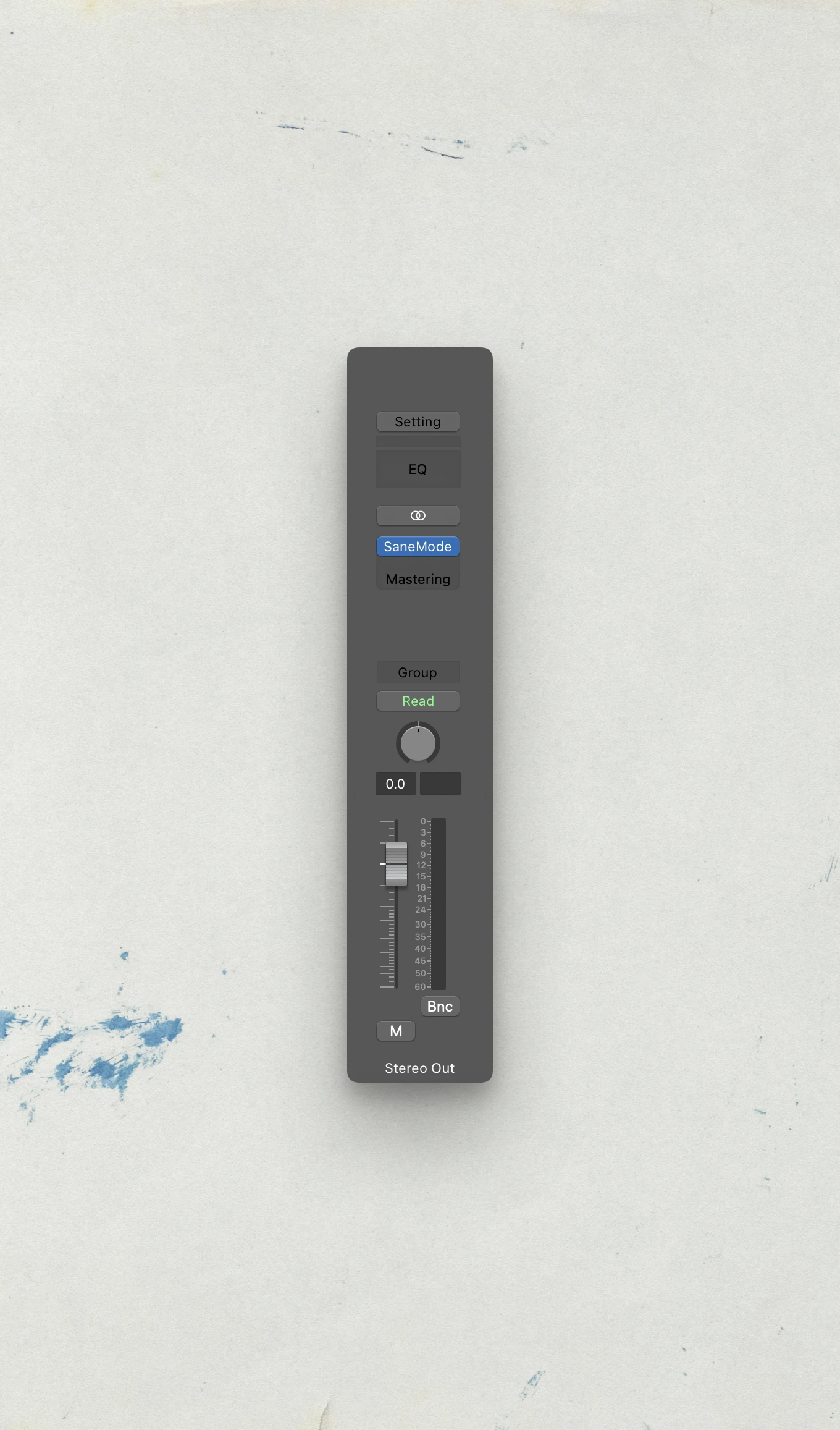
Add SaneMode to your master bus and build a session timeline spanning days, weeks, or months for every receipt you create.
2. Choose the signals
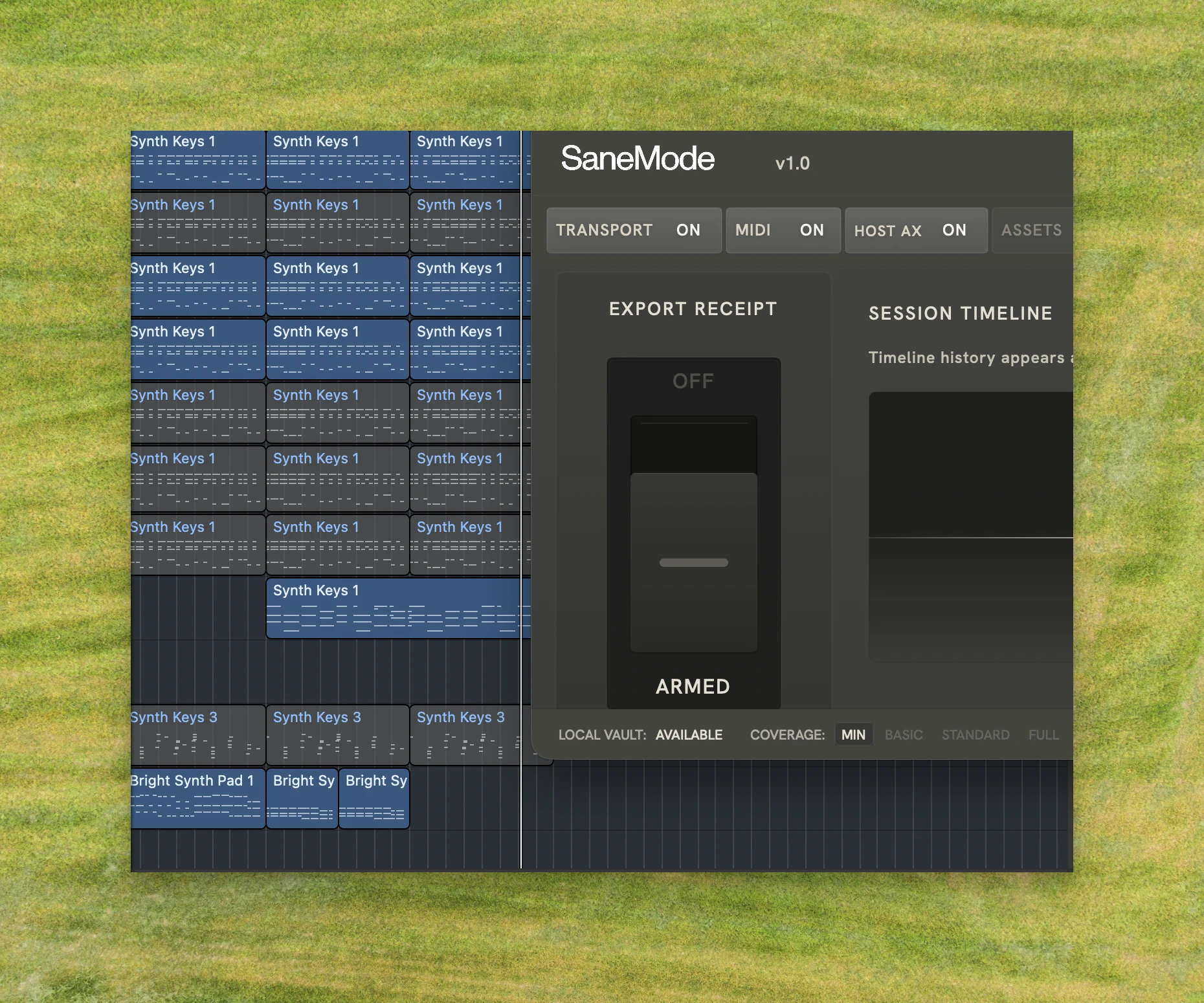
Choose the workflow signals SaneMode uses, so each receipt carries only the session context you want included.
3. Send it with the bounce
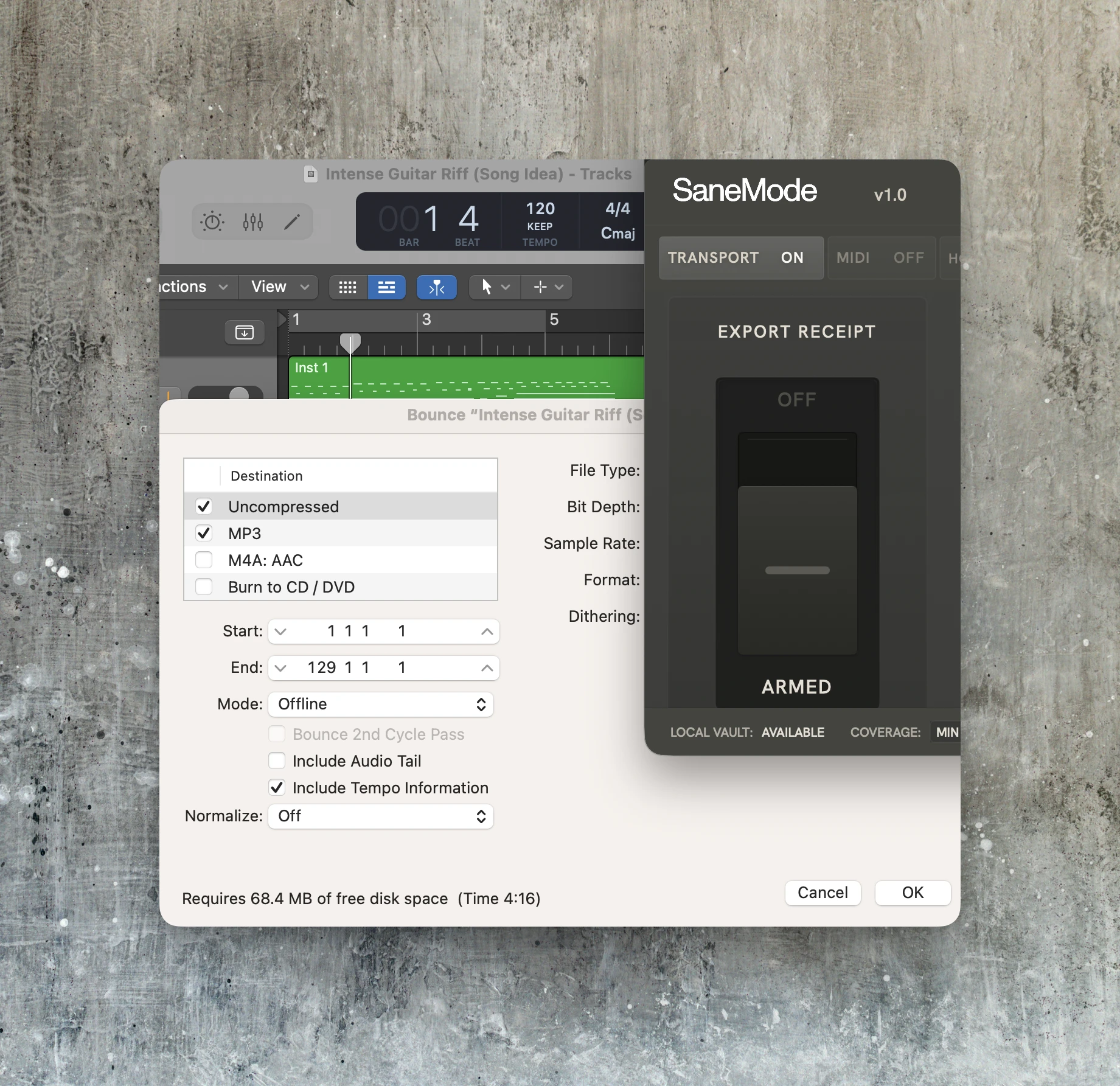
Arm SaneMode when it’s time to export, then send the bounce with a receipt tied to it so the file keeps its context wherever it goes.
1. Build the timeline
Add SaneMode to your master bus and build a session timeline spanning days, weeks, or months for every receipt you create.
2. Choose the signals
Choose the workflow signals SaneMode uses, so each receipt carries only the session context you want included.
3. Send it with the bounce
Arm SaneMode when it’s time to export, then send the bounce with a receipt tied to it so the file keeps its context wherever it goes.
A receipt anyone
can understand
A receipt anyone
can understand
A receipt anyone can understand
Readable On or Off macOS
Send the .smode receipt with its PDF companion, so anyone can read it whether or not they’re on macOS.
Readable On or Off macOS
Protect your time-intensive work with a receipt tied to the exact file as quick AI outputs blur origin.
Protect Time-Intensive Work
Protect your time-intensive work with a receipt tied to the exact file as quick AI outputs blur origin.
DAW Session Context on Arrival
Give recipients a fast, consistent way to see the audio’s link to a DAW session as soon as it arrives.
Session Timeline & Review
Give recipients an instant signal that your audio came from a real session as soon as it arrives.
Less Guesswork After Sending
Reduce ambiguity when files travel online, so your audio lands with the context you want.
For online handoffs where human context behind the music matters
For online handoffs where human context behind the music matters
When your stems get sent to clients or collaborators who weren’t in the room, SaneMode can add a quick layer of session context to the music they’re hearing.
Mixers
Continuity & Handoff
1/3
When days or weeks of solo session work turn into one .wav for an artist online, receipts help the music carry more of the session behind it when you can’t record together in person.
Freelance Producers
Workflow & Delivery
2/3
During audio sendoffs where AI makes manual documentation or messy screenshots feel like a necessary burden, receipts give the file cleaner grounding while keeping the craft private.
Mastering Engineers
Craft & Process
3/3
When your stems get sent to clients or collaborators who weren’t in the room, SaneMode can add a quick layer of session context to the music they’re hearing.
Mixers
Continuity & Handoff
1/3
When days or weeks of solo session work turn into one .wav for an artist online, receipts help the music carry more of the session behind it when you can’t record together in person.
Freelance Producers
Workflow & Delivery
2/3
During audio sendoffs where AI makes manual documentation or messy screenshots feel like a necessary burden, receipts give the file cleaner grounding while keeping the craft private.
Mastering Engineers
Craft & Process
3/3
When your stems get sent to clients or collaborators who weren’t in the room, SaneMode can add a quick layer of session context to the music they’re hearing.
Mixers
Continuity & Handoff
1/3
When days or weeks of solo session work turn into one .wav for an artist online, receipts help the music carry more of the session behind it when you can’t record together in person.
Freelance Producers
Workflow & Delivery
2/3
During audio sendoffs where AI makes manual documentation or messy screenshots feel like a necessary burden, receipts give the file cleaner grounding while keeping the craft private.
Mastering Engineers
Craft & Process
3/3
When your stems get sent to clients or collaborators who weren’t in the room, SaneMode can add a quick layer of session context to the music they’re hearing.
Mixers
Continuity & Handoff
1/3
When days or weeks of solo session work turn into one .wav for an artist online, receipts help the music carry more of the session behind it when you can’t record together in person.
Freelance Producers
Workflow & Delivery
2/3
During audio sendoffs where AI makes manual documentation or messy screenshots feel like a necessary burden, receipts give the file cleaner grounding while keeping the craft private.
Mastering Engineers
Craft & Process
3/3
When your stems get sent to clients or collaborators who weren’t in the room, SaneMode can add a quick layer of session context to the music they’re hearing.
Mixers
Continuity & Handoff
1/3
When days or weeks of solo session work turn into one .wav for an artist online, receipts help the music carry more of the session behind it when you can’t record together in person.
Freelance Producers
Workflow & Delivery
2/3
During audio sendoffs where AI makes manual documentation or messy screenshots feel like a necessary burden, receipts give the file cleaner grounding while keeping the craft private.
Mastering Engineers
Craft & Process
3/3
When your stems get sent to clients or collaborators who weren’t in the room, SaneMode can add a quick layer of session context to the music they’re hearing.
Mixers
Continuity & Handoff
1/3
When days or weeks of solo session work turn into one .wav for an artist online, receipts help the music carry more of the session behind it when you can’t record together in person.
Freelance Producers
Workflow & Delivery
2/3
During audio sendoffs where AI makes manual documentation or messy screenshots feel like a necessary burden, receipts give the file cleaner grounding while keeping the craft private.
Mastering Engineers
Craft & Process
3/3
When your stems get sent to clients or collaborators who weren’t in the room, SaneMode can add a quick layer of session context to the music they’re hearing.
Mixers
Continuity & Handoff
1/3
When days or weeks of solo session work turn into one .wav for an artist online, receipts help the music carry more of the session behind it when you can’t record together in person.
Freelance Producers
Workflow & Delivery
2/3
During audio sendoffs where AI makes manual documentation or messy screenshots feel like a necessary burden, receipts give the file cleaner grounding while keeping the craft private.
Mastering Engineers
Craft & Process
3/3
When your stems get sent to clients or collaborators who weren’t in the room, SaneMode can add a quick layer of session context to the music they’re hearing.
Mixers
Continuity & Handoff
1/3
When days or weeks of solo session work turn into one .wav for an artist online, receipts help the music carry more of the session behind it when you can’t record together in person.
Freelance Producers
Workflow & Delivery
2/3
During audio sendoffs where AI makes manual documentation or messy screenshots feel like a necessary burden, receipts give the file cleaner grounding while keeping the craft private.
Mastering Engineers
Craft & Process
3/3
When your stems get sent to clients or collaborators who weren’t in the room, SaneMode can add a quick layer of session context to the music they’re hearing.
Mixers
Continuity & Handoff
1/3
When days or weeks of solo session work turn into one .wav for an artist online, receipts help the music carry more of the session behind it when you can’t record together in person.
Freelance Producers
Workflow & Delivery
2/3
During audio sendoffs where AI makes manual documentation or messy screenshots feel like a necessary burden, receipts give the file cleaner grounding while keeping the craft private.
Mastering Engineers
Craft & Process
3/3
When your stems get sent to clients or collaborators who weren’t in the room, SaneMode can add a quick layer of session context to the music they’re hearing.
Mixers
Continuity & Handoff
1/3
When days or weeks of solo session work turn into one .wav for an artist online, receipts help the music carry more of the session behind it when you can’t record together in person.
Freelance Producers
Workflow & Delivery
2/3
During audio sendoffs where AI makes manual documentation or messy screenshots feel like a necessary burden, receipts give the file cleaner grounding while keeping the craft private.
Mastering Engineers
Craft & Process
3/3
When your stems get sent to clients or collaborators who weren’t in the room, SaneMode can add a quick layer of session context to the music they’re hearing.
Mixers
Continuity & Handoff
1/3
When days or weeks of solo session work turn into one .wav for an artist online, receipts help the music carry more of the session behind it when you can’t record together in person.
Freelance Producers
Workflow & Delivery
2/3
During audio sendoffs where AI makes manual documentation or messy screenshots feel like a necessary burden, receipts give the file cleaner grounding while keeping the craft private.
Mastering Engineers
Craft & Process
3/3
When your stems get sent to clients or collaborators who weren’t in the room, SaneMode can add a quick layer of session context to the music they’re hearing.
Mixers
Continuity & Handoff
1/3
When days or weeks of solo session work turn into one .wav for an artist online, receipts help the music carry more of the session behind it when you can’t record together in person.
Freelance Producers
Workflow & Delivery
2/3
During audio sendoffs where AI makes manual documentation or messy screenshots feel like a necessary burden, receipts give the file cleaner grounding while keeping the craft private.
Mastering Engineers
Craft & Process
3/3
2-seats, 1 license.
6 months of full access
2-seats, 1 license. 6 months of full access
SaneMode Pro
$29
one-time · 14-day refund period
Try SaneMode on real exports and send audio with stronger context built in.
Includes:
Shareable 2-seat license
No tiers or usage limits
Export receipts, session timeline, and local Vault tools
macOS compatibility with current Logic Pro support
SaneMode Pro
$29
one-time · 14-day refund period
Try SaneMode on real exports and send audio with stronger context built in.
Includes:
Shareable 2-seat license
No tiers or usage limits
Session timeline and local Vault tools
macOS compatibility with Logic Pro
SaneMode Pro
$29
one-time · 14-day refund period
Try SaneMode on real exports and send audio with stronger context built in.
Includes:
Shareable 2-seat license
No tiers or usage limits
Export receipts, session timeline, and local Vault tools
macOS compatibility with current Logic Pro support
What you get right away
What you get
right away
Your access, installer, and setup.
After checkout, you’ll receive your 2-seat license, macOS installer, local components, and setup instructions by email.
Your access, installer, and setup.
After checkout, you’ll receive your 2-seat license, macOS installer, local components, and setup instructions by email.
Questions, answered
Questions, answered
Which DAWs are supported right now?
What does SaneMode keep track of during a session?
What does SaneMode not record?
Do I need Accessibility or other macOS permissions?
What stays local by default?
What does a SaneMode receipt actually show?
Which DAWs are supported right now?
What does SaneMode keep track of during a session?
What does SaneMode not record?
Do I need Accessibility or other macOS permissions?
What stays local by default?
What does a SaneMode receipt actually show?
Preserve the process.
Preserve
the
process.
When AI blurs origin, keep the music in focus. Try SaneMode on your next project.